


Volume Grid Advanced Options

Volume Grid Advanced Options
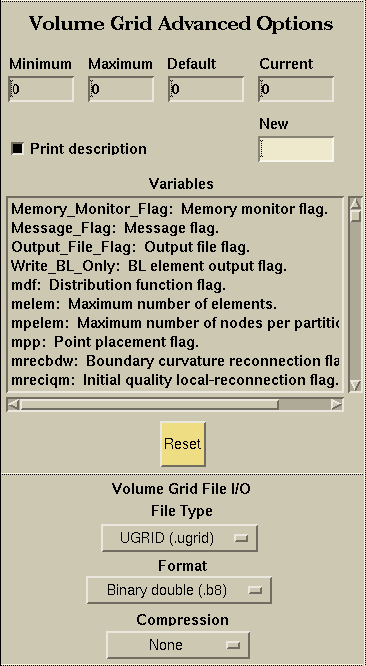
The volume grid options application allows you to specify all of the command line options currently available to the aflr4 volume grid generator. You pick an option from the scrollable list and change the value in the New field (make sure to hit return to change the current value). All options that have been changed will show up in the generated script file. If you mess up and need to reset all of the variables to the default values, simply hit the Reset button at the bottom of the application.
Specifies the minimum value of this variable. Changing this field will not have any effect.
Specifies the maximum value of this variable. Changing this field will not have any effect.
Specifies the default value of this variable. Changing this field will not have any effect.
Specifies the current value of this variable. Changing this field will not have any effect.
You specify a new value in this field. Make sure you hit return and the value shows up in the Current Value field.

Determines if a description of the selected option is printed in the message window.
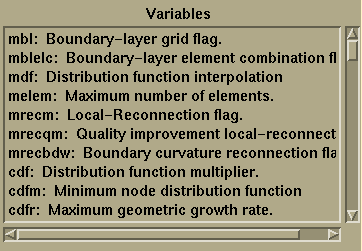
A pickable list of options to choose from. These options are obtained directly from aflr4 and can change at any time without having to recompile SolidMesh. Please see the aflr4 documentation for complete descriptions of each variable. This documentation is available via the command line by typing "aflr4 -help".

Resets all volume grid options back to their default values.
Volume Grid File I/O:
These options control how the output volume grid is written by the volume grid generation process. These options are also used to specify the file to read when using the Grid Visualization application. These options are exactly the same as the File I/O application.
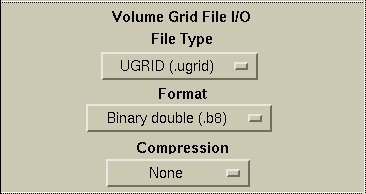
All of the information for these pulldown menus is available in the File I/O section under File Type.
 |
 |
 |
 |