


Flow Solver Boundary Condition

Flow Solver Boundary Condition Applications
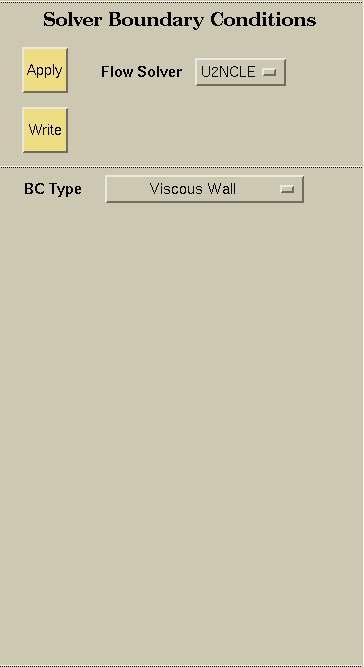
The Flow Solver selector allows the user to choose which flow solver boundary conditions to apply. Flow solver boundary conditions are applied to Groups. Currently U2NCLE, CGNS, Cobalt, CFD++, and USM3D are supported. However, for Cobalt, and CFD++, no specific boundary information is available and default or template boundary condition files are generated instead. For these solvers, there is nothing to apply to the Groups. Instead, simply set the Flow Solver selector and press the Write button to generate the files.

Selects the boundary condition based on the flow solver selected.
The following boundary conditions are available for
U2NCLE:
- Viscous wall
- Viscous translating wall
- Viscous rotating wall
- Inviscid wall
- Symmetry
- Symmetry-Mirror
- Farfield
- Internal outflow
- Inflow
- Nearfield inflow
- Transparent
- Transparent-UVI
The following boundary conditions are available for USM3D:
- Freestream
- Tangent Flow (Reflection Plane)
- Full Extrapolation
- Characteristic Inflow / Outflow
- No-Slip
- Tangent Flow (Inviscid Surface)
- Special No-Slip
- Special Wake
- Engine Exhaust (Fan)
- Engine Exhaust (Jet Core)
- Engine Intake
- Sink
- Rotor Intake
- Rotor Wash
- Special Inflow
- Special Outflow
The following boundary conditions are available for Fluent:
- Axis
- Exhuast Fan
- Fan
- Inlet Vent
- Intake Fan
- Interface
- Interior
- Mass Flow Inlet
- Outlet Vent
- Ouflow
- Periodic
- Porous Jump
- Pressure Far-Field
- Pressure Inlet
- Pressure Outlet
- Radiator
- Shadow
- Symmetry
- Velocity Inlet
- Wall
The following boundary conditions are available for CGNS:
- Wall
- Wall-translating
- Wall-rotating
- Wall-slip
- Symmetry
- Pressure-farfield
- Pressure-outlet
- Pressure-inlet
- Velocity-inlet
- Massflow-inlet
For each of the Wall boundary conditions, the following Thermal Boundary Conditions can be applied:
- None
- Heat flux
- Temperature

The Apply button allows the user to apply the desired boundary condition to the selected group(s).

Writes the flow solver boundary condition files. For U2NCLE, the flow boundary conditions are written to a file named CaseName.bc. For USM3D, the flow boundary conditions are written to a file name CaseName.mapbc. For Fluent, the flow boundary conditions are written to a file named CaseName.fluent.bc, which are then included in the grid file CaseName.fluent.cas once the grid is exported. For CGNS, the flow boundary conditions are written to the grid file CaseName.cgns. For Cobalt, a file named CaseName.cobalt.bc is generated. The file contains group information and can be used with Blacksmith to generate the solver boundary condition file. For CFD++, a default boundary condition file named mcfd.bc is generated.
 |
 |
 |
 |