


Points
Points Creation Palette
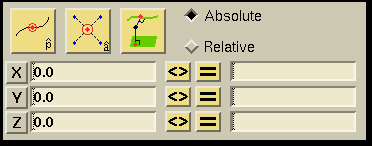
Examples of each button's functionality can be viewed by clicking on the button.

Creates a point at the location specified in the XYZ field (discussed below).

Creates a point at the average location of all selected points. The point remains selected after creation.

Creates a point on the object (curve or surface) selected closest (orthogonal) to the point selected.

With this toggle, you can determine whether the values in the XYZ fields are to be expressed in the absolute or relative coordinate system. The absolute coordinate system uses (0,0,0) as the origin. The relative coordinate system uses the coordinates of the last specified location as the origin.
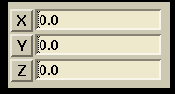
You can enter numbers into these fields to represent either
the absolute values of X, Y, and Z or the relative values for DX, DY, and
DZ. The X, Y, and Z values are based in the absolute coordinate system
with the origin at (0,0,0). The DX, DY, and DZ values represent the change
in the new location relative to the last.
The  ,
,
 , and
, and
 buttons are used
to clear the corresponding text fields.
buttons are used
to clear the corresponding text fields.
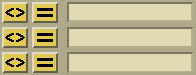
Hitting the "<>" swaps what is in the fields to the left of the buttons with what is in the fields to the right of the buttons. Hitting the "=" button evaluates the expression in the left field placing the result in the right field.
 |
 |
 |
 |